AI Manga ColorizerAI Manga Colorizer
EXPLORE YOUR ONE PIECE PANELS IN COLOR

One Piece Manga Colored OnlineTurn a black-and-white panel into a color study.

Looking for One Piece manga colored online? Explore a new color interpretation of a panel or page you have permission to use. Upload your image, let AI estimate the colors, and compare the result with the original before downloading. This is an image colorizer, not a manga chapter reader.

PNG, JPG & WebP · Up to 10 MB · One image at a time
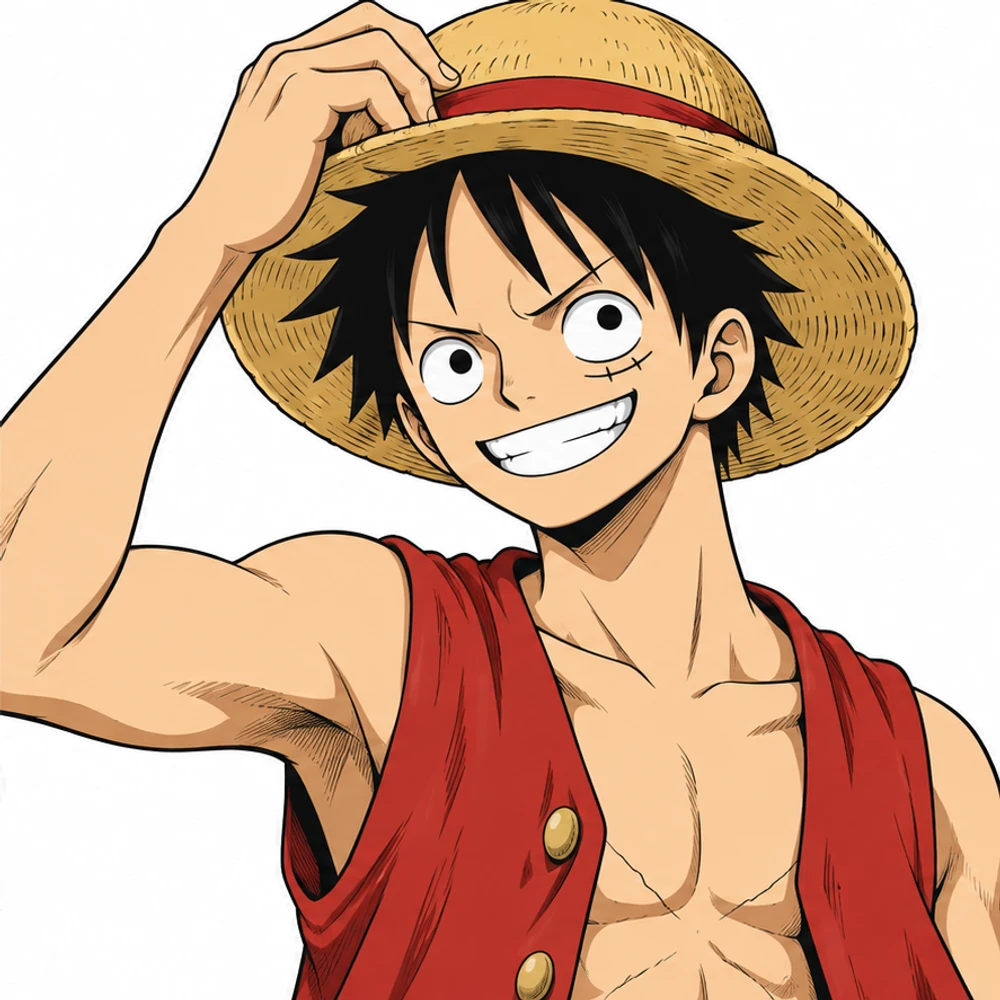
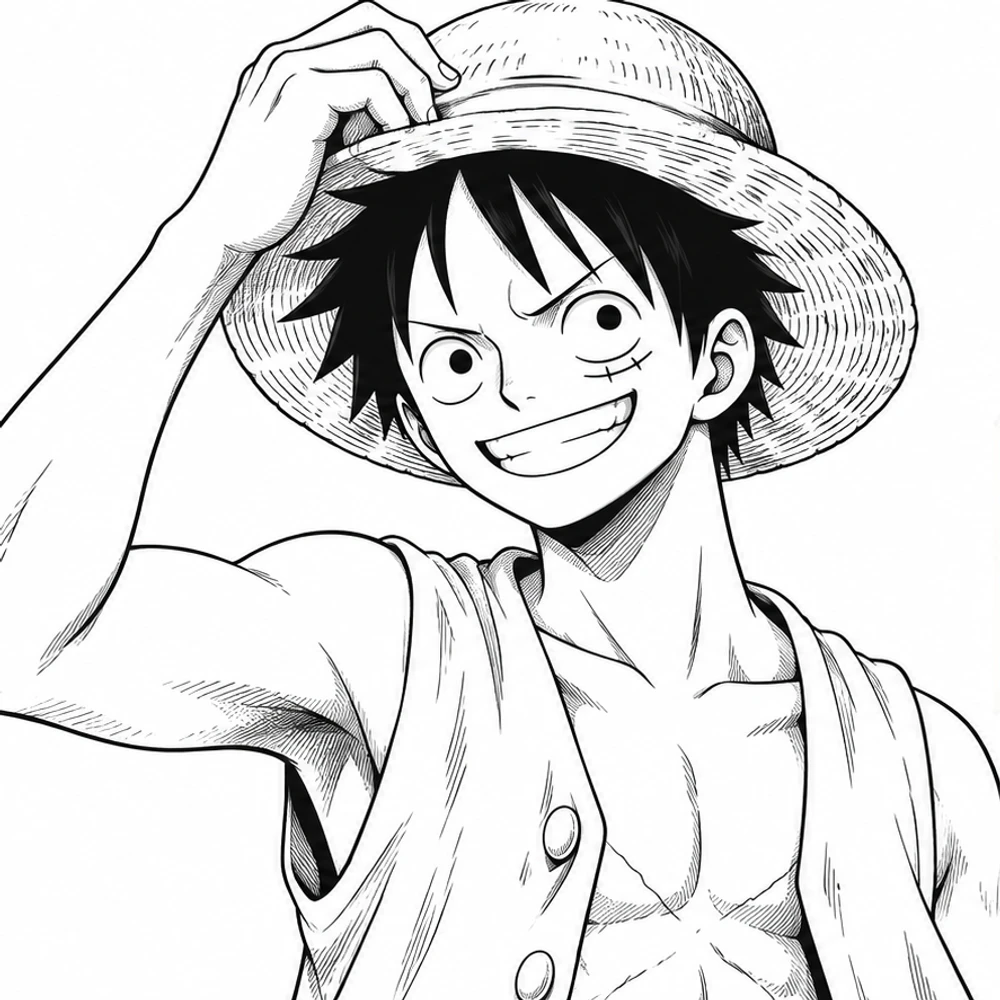
BEFORE · BLACK & WHITEBlack-and-white drawing of Monkey D. Luffy before coloring
AFTER · COLOR STUDYMonkey D. Luffy after AI-assisted coloring, same drawing and composition
MONKEY D. LUFFY · BEFORE & AFTERBlack-and-white character artwork and AI-assisted color illustration.
YOUR IMAGE, YOUR EXPLORATION

Color your One Piece manga panel online

Preview your image, then run DDColor to explore an automatic color interpretation. AI processing requires an account and credits; each image uses one credit. View plans.

YOUR ORIGINAL · START HERE

Color a Black-and-White Manga Page Online

Sign in to use your coloring credits. Upload one manga panel or page, run DDColor AI, and compare the result. PNG, JPG, or WebP · up to 10 MB.

Your image is sent to Replicate for AI colorization. DDColor is designed mainly for photos, so manga line art may vary. Download your result before it expires.

THE COLOR GUIDE

Explore One Piece manga colored online, one scene at a time

A close-up, a crowded action panel, and an ocean scene each pose different coloring challenges. Start with one complete panel so you can inspect faces, clothing, background details, and lettering. Then try a full page to see how color affects the reading order. The tool estimates a palette from the image; it does not recognize official One Piece character colors or reproduce an official colored edition.

DDColor was developed mainly for photo colorization. It does not provide prompts, a custom palette, or guaranteed preservation of lines and text. Treat each result as a starting point and compare it carefully with your source.

Illustrative Monkey D. Luffy color study showing character and background contrast
Monkey D. Luffy: AI-assisted color illustration.
01

Character panels and expressions

Use a close-up to inspect facial shading, hair, and clothing. For panels featuring Luffy, Zoro, Nami, or other characters, compare the output with a reference you are authorized to use and correct any palette differences in your editor.

02

Action scenes and dramatic reveals

Check speed lines, overlapping figures, and solid black shadows after colorization. A busy battle panel can benefit from a tighter crop that keeps the main action and speech balloons together.

03

Ships, islands, and ocean backgrounds

Explore how the estimated palette separates characters from scenery. Inspect water, sky, architecture, and small background objects; the model may interpret unfamiliar shapes unpredictably.

THREE SIMPLE STEPS

How to color One Piece manga online

Work directly in your browser, from a source image to a downloadable color study.

01

Upload your artwork

Choose one PNG, JPG, or WebP image up to 10 MB. The editor shows a local preview before you start AI processing.

02

Run AI colorization

Sign in with available credits and select Colorize with AI. The model estimates a palette automatically from your image.

03

Compare and download

Inspect the original and colored output side by side. Download the result and make any finishing changes in your preferred image editor.

MAKE A STRONGER START

Prepare your image for AI coloring

A thoughtful source image makes the result easier to evaluate and refine.

01

Start with a clear, complete panel

Choose a sharp image with readable linework and crop away browser controls or unrelated margins. Keep important figures, panel borders, and speech balloons inside the crop.

02

Review character colors individually

AI does not lock a character palette. Check hair, skin, costumes, and props on every result, especially when coloring several images from the same scene.

03

Protect dialogue and screentones

Zoom in on lettering, white balloons, fine hatching, and shaded textures. Keep the original image so you can restore any detail that changes during processing.

04

Compare adjacent panels

Each upload is processed independently. Review neighboring panels together and manually harmonize colors if you want a consistent sequence.

05

Finish the palette in an image editor

Download the rendered image and adjust color, contrast, or local details in your preferred editor. The tool does not export separate ink and color layers.

ROOM TO EXPERIMENT

Explore One Piece scenes through color

For One Piece manga fans

Compare a black-and-white scene with an AI color interpretation and study how the palette changes its atmosphere. Use artwork you have permission to process.

For fan artists

Try a rough color pass on your own One Piece-inspired line art, then refine the character palette, light, and edges by hand.

For visual storytelling study

Examine how color changes the focal point of a reaction shot, the depth of a background, or the readability of an action sequence.

CHOOSE YOUR STARTING POINT

One Piece colored manga: AI studies and published editions

If your goal is to read a colored chapter, look for an authorized edition through its publisher or licensed retailer. If your goal is to explore the colors of an image you can use, start with the colorizer above.

An AI color study

You supply one image, and the model estimates a palette. The result is an experimental interpretation that may need corrections to character colors, lettering, and fine lines.

A published colored edition

A published edition is a separate reading product. This tool does not supply its pages, reproduce its palette, or replace access to an authorized source.

GOOD TO KNOW

One Piece Manga Colored Online FAQ

Practical answers before you upload your artwork.

How can I make One Piece manga colored online?

Upload a black-and-white panel or page you have permission to use, sign in with available credits, and select Colorize with AI. Compare the colored output with your original, then download the result.

Can I read One Piece colored manga chapters here?

No. This page is an AI image colorization tool. It does not host One Piece chapters, provide a chapter reader, or distribute an official colored edition. You need to supply your own permitted image.

Will the colors match the official One Piece colored manga?

No. DDColor estimates colors from visual information and does not use an official One Piece character palette. Character outfits, hair, and scenery may need manual correction.

Can I color a full One Piece manga page?

Yes, you can upload a page as one PNG, JPG, or WebP image up to 10 MB. Start with an individual panel if you want to evaluate fine details more easily. Full pages should be reviewed for dialogue clarity and consistency between panels.

Can I upload an entire chapter at once?

No. The current tool processes one image at a time. It does not accept chapter archives or offer batch colorization. Process permitted pages individually.

Is One Piece manga colorization free?

You can preview your upload before processing. AI colorization requires an account and available credits, and each image uses one credit. See the pricing page for current plans.

Can I choose colors for Luffy or other characters?

The current workflow estimates colors automatically. It does not provide text prompts, character references, custom palettes, or controls for individual regions. Make specific palette changes after downloading.

Can I share my colored One Piece manga image?

AI colorization does not grant rights to the original artwork. Only publish or distribute images you own or have permission to use, and check the permissions that apply to your source.

Are the example images on this page One Piece manga?

The comparison shows AI-created Monkey D. Luffy character illustrations in black-and-white and color.

KEEP EXPLORING

Find a color guide for your artwork

START WITH ONE IMAGE

Ready to explore a new palette?

Bring your black-and-white artwork and see what color can add to the scene.

Try One Piece Manga Colored Online